
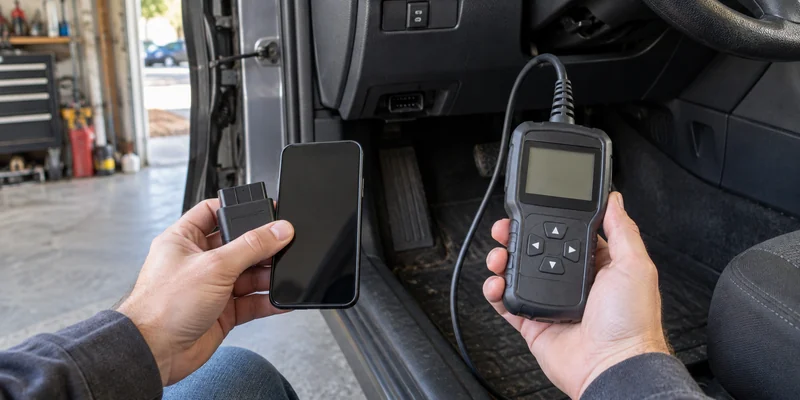
Start with the result you need from your car
A basic engine code, live data, an ABS or airbag scan, a service reset, and bidirectional control are different jobs. Write down the exact vehicle year, make, model, engine, and function before choosing the screen that will display it.
| What matters most | Where to start | The catch to check |
|---|---|---|
| A small adapter and phone-based reports | App-based Bluetooth scanner | Phone and app support, account needs, and renewal terms |
| A self-contained tool with its own controls | Handheld scanner | Larger initial purchase and a smaller built-in display |
| One advanced function on one vehicle | Either format | Exact vehicle-and-function coverage decides the fit |
| A warning light with unusual behavior or drivability symptoms | Vehicle manual and qualified service path | A stored code is evidence, not a complete remote diagnosis |
The categories overlap more than the labels suggest
The TOPDON TopScan Lite is a phone-based Bluetooth example. TOPDON lists Android 7 or later and iOS 11 or later, eight service functions, one year of updates, and a yearly update renewal. It also directs buyers to a vehicle-coverage tool.
The Innova 5610 is a handheld example with its own screen and buttons. Its companion RepairSolutions2 app is optional; Innova says the app has no subscription and that the handheld can be used without it.
That is the useful wrinkle: handheld does not always mean no app, and Bluetooth does not always mean a generic adapter that works with any app. Compare the complete product-and-software system.
Check lifetime friction before the feature list
An app route can make graphs, saved scans, and report sharing convenient. It also makes phone operating-system support, app availability, login requirements, and update policy part of ownership. A handheld route can keep basic scanning independent of your phone, but advanced reports or guidance may still use companion software.
Ask four cost questions before paying:
- Which functions work on day one for your exact vehicle?
- Which functions require an add-on, higher tier, or renewal?
- What remains usable if updates or an app subscription stop?
- Can you export the records you care about?
Do not compare only the purchase totals. A less expensive adapter can cost more over time if the required function sits behind recurring access. A more expensive handheld can still be unnecessary when a supported app tool performs the one job you need.
Treat coverage as a row-by-row check
“Works with 1996 and newer vehicles” generally describes basic US OBD-II access. For body, braking, restraint, transmission, battery and manufacturer-specific functions, check the exact vehicle coverage list.
Use the maker's coverage checker and save the result for the exact tool tier. Confirm the country or region too. Innova describes its 5610 coverage for vehicles sold in the US and Canada, while TOPDON separates Lite, Pro, and Master functions. A family name or shared connector is not enough to transfer a feature.
Let the code guide the next check
EPA consumer guidance explains that OBD-II stores diagnostic trouble codes that help identify a system problem. Use the code to guide diagnosis, then confirm the cause before replacing a part. Clearing a code alone does not repair the fault.
Read the vehicle manual when a warning flashes, drivability changes, or the scan result points beyond a basic check. Choose the app route when its exact coverage and phone workflow fit. Choose the handheld route when a self-contained tool and its supported functions earn the extra hardware. If neither coverage checker confirms the job, hold the purchase and ask the manufacturer or a qualified technician about that exact vehicle and function.