
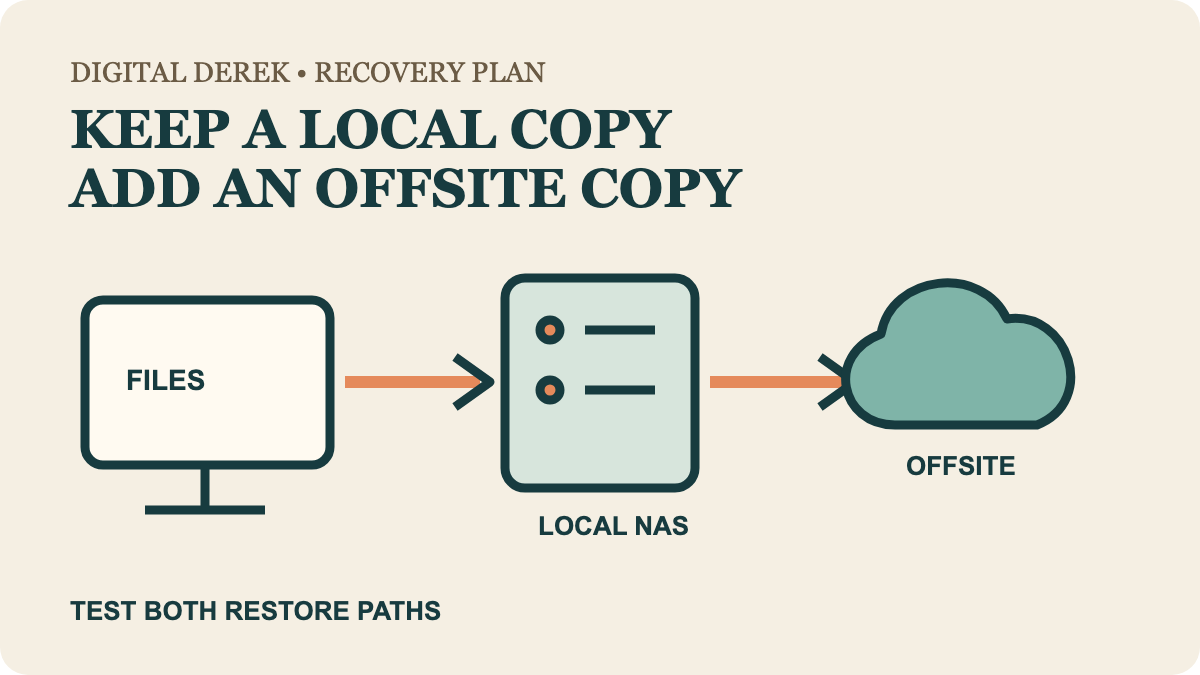
The practical answer is often local plus offsite
A NAS is useful for local backups and restores when several computers share a network. Cloud storage or backup adds geographic separation, so a theft, fire or other site-wide loss does not remove every copy. These are complementary jobs more often than interchangeable products.
| Priority | Useful starting path | Boundary to check |
|---|---|---|
| Restore a large local library without downloading it | NAS | The NAS still needs its own independent copy |
| Keep a copy away from the home or office | Vetted cloud service | Upload time, retention, deletion and restore terms |
| Protect against ransomware reaching connected storage | Offline, immutable or isolated copy | A mapped NAS share or sync folder may be reachable |
| Collaborate on current files | Cloud sync can help | Sync is not automatically a historical backup |
| Recover important files after more than one failure | Local plus offsite | Test both restore paths |
The CISA backup guide recommends the 3-2-1 pattern: three copies, on two media types, with one offsite. That framework turns “NAS or cloud?” into a better question: which layer is missing from the current recovery plan?
A NAS gives you a local recovery path
A NAS can accept automated backups from multiple computers and keep local restore traffic off the internet. It also adds equipment to maintain: drives, updates, access control, alerts and a supported recovery procedure.
RAID or drive redundancy can keep a system available after some drive failures, but it is not a second independent backup. Accidental deletion, malware, theft and damage can affect the enclosure or connected data. Synology's current backup guidance explicitly says a local NAS does not cover fire, natural disaster or theft by itself and recommends an offsite layer.
If you are choosing the enclosure first, compare two-bay and four-bay NAS capacity. Bay count answers expansion; it does not complete the backup plan.
Cloud protection depends on the service and settings
“Cloud storage” can mean sync, versioned storage, an application backup or a managed backup service. Ask what happens after local deletion, ransomware encryption, account loss and the end of the retention window. Also check whether the provider offers bulk restore media or requires a full download.
Microsoft documents whole-OneDrive restoration for eligible Microsoft 365 subscribers within a stated 30-day window. It also says permanently deleted files cannot be recovered through OneDrive. That is a current OneDrive capability—not a universal cloud promise.
CISA's ransomware guidance emphasizes offline, encrypted backups and tested restoration. Some cloud services can add immutable or protected retention, but only when the feature is actually enabled, paid for and included in your restore test.
Do the first-upload and full-restore math
A cloud plan can be quick to start and slow to seed. Estimate the initial upload from the actual upstream connection, then consider provider throttling and computer sleep. For recovery, estimate how long a full library download would take on the connection available after a failure.
A NAS can restore locally faster, but only if the NAS and network are intact. That is why a fast local copy and a slower offsite copy can be a sensible pair rather than competing winners.
Choose the failure you still need to cover
Choose a NAS for controlled local backup and recovery across a household or small office. Choose a vetted cloud service for offsite separation without maintaining a second physical location. Choose both when the files matter enough that one device, one account or one building should not be the only recovery route.
Then prove the plan: restore representative files, verify dates and versions, and record how to recover when the usual computer or account session is unavailable. A backup is a recoverable copy, not merely a reassuring icon.