
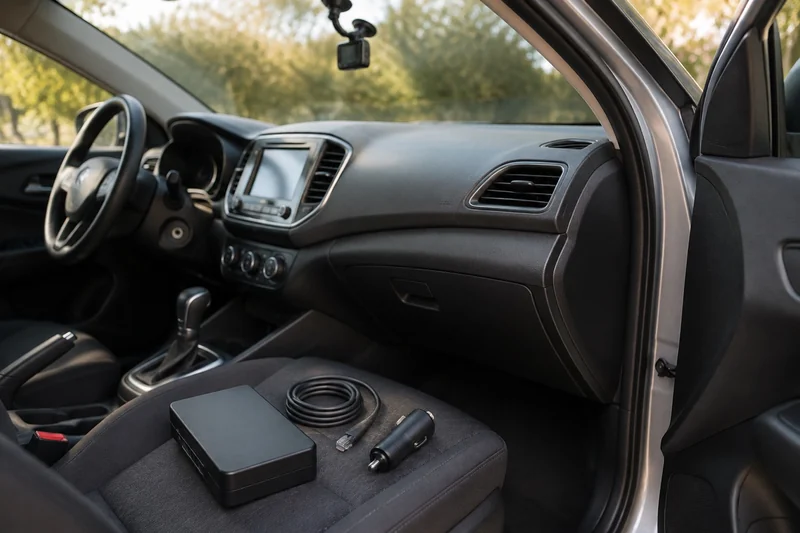
Choose power for the time your car is parked
Start with the period you want to cover: a shopping stop, overnight parking or several days without driving. Then check what will supply energy, how the camera switches modes and how the setup stops drawing power. The card must also retain the recording until you can retrieve it.
Those are separate requirements. A camera can remain powered while staying in its normal driving mode. A correctly configured parking mode can also stop when its power limit is reached. Neither outcome is explained by resolution alone.
Compare the power routes
| Power route | Useful fit | What needs checking | Main tradeoff |
|---|---|---|---|
| Supplied socket adapter | Simple driving recording | Whether the outlet switches off; whether this exact camera supports parking through this adapter | Confirm parking-mode support and battery protection separately from outlet power |
| Compatible hardwire kit | Automatic parking recording with a fitted installation | Camera model, ignition signal, supported modes, cutoff behavior and vehicle suitability | Installation plus a draw on the vehicle's power supply while parked |
| Manufacturer-supported OBD cable | A plug-in route where the camera and vehicle support it | Exact cable, vehicle exclusions and mode-switching behavior | Compatibility is specific; the same connector does not make every cable interchangeable |
| Dedicated dash-cam battery pack | A separate energy supply for parked recording | Camera output cable, charging method, recharge time and installation requirements | Extra cost and space; driving time must replenish the energy used |
These are setup categories, not claims that every option works with every camera. Thinkware's power guide illustrates the distinction: its ordinary 12V cable supports continuous recording but not its parking features, while its supported hardwire, OBD and battery arrangements serve different roles. Its iVolt Mini itself needs hardwired charging. A battery pack is therefore not automatically an installation-free option.
Match the accessory to the exact shortlisted model
For the VIOFO A329S, VIOFO's HK6 page distinguishes basic parking modes through HK4 from Hybrid Parking Mode through HK6. The extra capability can matter if you specifically want that hybrid behavior; it does not mean everyone needs the same upgrade.
Be precise about battery settings. HK4 has its own selectable hardware voltage cutoff. The HK6 page's wording about the A329S Cut-off Voltage feature should not be read as “HK4 has no voltage protection.” Confirm which controls belong to the cable and which belong to the camera's firmware. Do not transfer A329S 3CH power figures to the 2CH configuration in our shortlist.
For the Vantrue E1 Pro, the current manual requires an ACC hardwire kit for ignition-controlled mode switching. It also describes other entry methods and allows a stable continuous power supply for parking recording. The product page uses broader “must be hardwired” wording, so use the manual for the precise mode you want. Match the power accessory and installed firmware to the parking mode you want, as well as checking the plug.
Use the dash-cam specification comparison to compare camera coverage and the documented parking requirements. Choose the coverage you need, then price the complete supported installation rather than the camera alone.
Keep battery care separate from parking power
A jump starter is not a continuous parking-power solution. If you are also deciding how to keep a seldom-used vehicle ready, the jump-starter-versus-battery-charger comparison explains emergency starting, recharging and supported maintenance. Keep the camera's power-source and cutoff requirements as their own compatibility check.
Make the installation quote answer these questions
Ask the installer to identify the exact camera and power accessory, the vehicle compatibility, the selected parking mode and the cutoff behavior. Ask how the installation will be demonstrated after shutdown, and what changes when the vehicle sits unused for longer than normal.
A cutoff is a stop condition, not a guarantee of a particular number of recording hours or a future successful start. Battery condition, temperature, camera load and driving routine can change the result. For a car that sits for days, compare a dedicated supported battery arrangement and its recharge needs before relying on a daily-commute assumption.
Use the exact manufacturer instructions and a qualified installer for vehicle wiring. This guide is a buying checklist; it does not choose circuits, route cables near airbags or establish compatibility for an unspecified vehicle.
Check the saved clip before relying on the setup
After installation, confirm the camera indicates the intended parking mode. Use the manufacturer's supported demonstration procedure and review the saved clip: correct time, useful camera view and successful playback. Check again after a normal parking interval. A recording icon alone does not show that an event was retained.
Choose a card from the camera manufacturer's compatibility guidance. The E1 Pro support page identifies recommended endurance-card families and excludes some otherwise familiar cards. Preserve needed recordings before formatting. More capacity changes storage headroom; it does not power the camera after shutdown.
Your final choice should name all four parts: camera configuration, supported power accessory, parking behavior and recording storage. When any one is unclear, resolve that specific part before paying for the rest.