
Match the screen to what you want to improve
At the same 27-inch size, 4K adds pixels, not a larger physical screen. Start with the part of your work that would benefit.
| What you want | Where to start | What changes the decision |
|---|---|---|
| Documents and spreadsheets at a familiar size | 27-inch 1440p | Check your normal text size at your usual viewing distance |
| More detail in text and images | 27-inch 4K | Use scaling so menus and text stay comfortable |
| More rows or windows visible at once | Compare the scaling settings below | Extra workspace helps only if you can still read it |
| Bigger text, with no other problem | Adjust your current display first | You may already have the screen you need |
See what scaling changes
Same screen size. Different ways to use the pixels.
27-inch 1440p
100% scale
2,560 × 1,440 workspace
27-inch 4K
2,560 × 1,440 workspace at 150%
Same workspace as 1440p at 100%. The 4K panel still has more physical pixels.
| Display | Scale | Calculated workspace |
|---|---|---|
| 1440p | 100% | 2560 × 1440 |
| 4K | 100% | 3840 × 2160 |
| 4K | 150% | 2560 × 1440 |
Layout illustration, not a simulation of text sharpness. Calculated workspace = native pixels ÷ scale factor. App and operating-system behavior can differ.
A 4K panel has 2.25 times as many physical pixels as a 1440p panel. At 150% scaling, its calculated workspace is 2560 × 1440: a similar layout size to 1440p at 100%, with more pixels available to render detail.
Text appearance also depends on the operating system, app and display. Compare your everyday apps at a comfortable size.
Two adjustable 27-inch examples
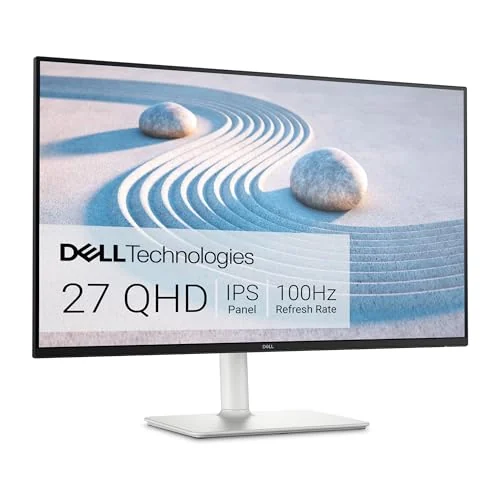
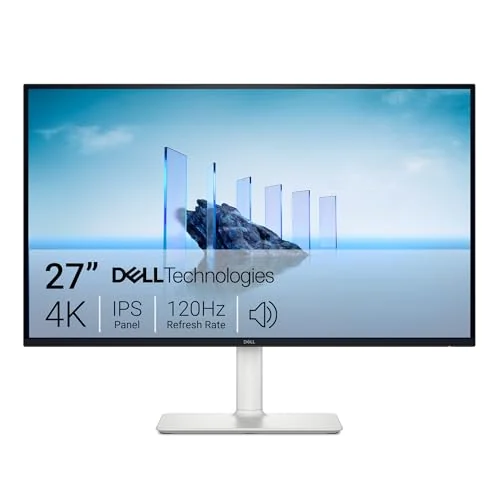
The Dell S2725DS offers QHD resolution for a conventional office setup. The Dell S2725QS adds 4K resolution at the same screen size. Both include an adjustable stand, speakers, HDMI and DisplayPort inputs.
The table uses Dell’s S2725DS specifications and S2725QS specifications. Compare the current purchase totals to decide whether the extra detail earns the difference for you.
Choose text size before choosing more workspace
On Windows, keep the display at its native resolution and use the Scale setting to change the size of apps and interface elements. The separate accessibility text-size control changes text without enlarging everything else. Start with the recommended setting, then check a document and spreadsheet you actually use.
On a Mac, select the external display in System Settings → Displays and compare the available text-size and workspace options. Mac scaling options and rendering differ from the Windows percentage examples above.
If your current monitor looks good after that adjustment, keep it. If you still want finer detail at the same desk size, 4K addresses that goal more directly than buying another 1440p panel solely for its size.
Match the connection to the mode you want
Both Dell models take video through HDMI or DisplayPort. Neither has a USB-C video-and-charging input, so buying a 4K screen does not automatically create a one-cable laptop desk.
The S2725DS supports up to QHD at 100 Hz; the S2725QS supports up to 4K at 120 Hz through a suitable connection. Our setup builder plans office screens at up to 4K/60 Hz. Match your laptop, dock and cable to the resolution and refresh rate you want to use.
Build your monitor setup when you are ready to match a supported laptop with the screens and cables you own. Still deciding whether the screen should travel? Compare portable and desktop monitors first.