
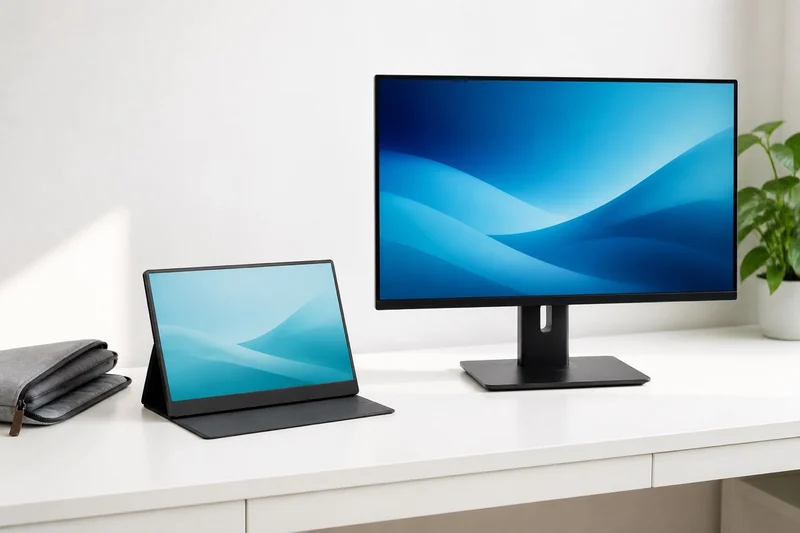
Decide what needs to improve
Write down the problem with your current screen: repeated window switching, text that feels too small, or nowhere to leave a monitor set up. These point to different purchases. More pixels, a larger physical panel and easier packing are separate benefits.
| Your work pattern | Useful starting point | Main tradeoff |
|---|---|---|
| Work moves between tables or locations | Portable second screen | Carry kit, stand depth and power setup |
| One desk, used most days | Desktop monitor with suitable adjustment | Permanent space and a power outlet |
| Same windows, but larger text wanted | Larger panel, with scaling checked | Same resolution does not add pixels |
| More content must stay visible | Compare resolution and comfortable scaling | Check text size at your preferred scaling and viewing distance |
Two real examples: larger does not mean more pixels
The ARZOPA A1 specification section and Dell P2425H technical specifications illustrate this distinction. They describe these models, not every portable or desk display.
| Manufacturer-listed detail | ARZOPA A1 | Dell P2425H |
|---|---|---|
| Visible diagonal | 15.6 inches | 23.8 inches |
| Native pixel dimensions | 1920 × 1080 | 1920 × 1080 |
| Aspect ratio | 16:9 | 16:9 |
| Listed refresh rate | 60 Hz | Up to 100 Hz; supported input and setup required |
| Stand adjustment | Built-in stand changes viewing angle | Height, tilt, swivel and pivot |
| Video connections | USB-C DisplayPort Alt Mode; mini-HDMI | HDMI, DisplayPort and VGA |
The practical finding: these panels have the same 2,073,600 pixels. The desk display spreads them across a larger surface. At equal scaling, it does not create additional pixel workspace simply by being wider. That can still be exactly what you want when physical readability is the priority.
Same pixels. Larger surface.
The diagram uses the listed diagonals and their common 16:9 ratio. Its rectangles show relative physical size, not image quality. Actual usable workspace also depends on operating-system scaling and application settings.
For a fixed desk, compare 1440p and 4K at 27 inches to separate finer detail from the amount of readable workspace.
Read what each USB-C port does
Dell explicitly labels the P2425H's USB-C port as downstream data with up to 15 W power delivery. It is not the video input for a one-cable laptop connection. If you want the display to receive video and charge the laptop over one cable, choose a model whose documentation explicitly supports that combination and enough charging power for your laptop.
The A1 supports a USB-C video route, but the laptop and cable must support it too. Use the portable-monitor connection guide to confirm the whole path before ordering adapters.
Spend on the benefit you will keep using
At a permanent desk, a stand that puts the screen where you want it may be more useful than paying for a portable housing. When the kit travels, count the display, charger, cables, protective sleeve and any separate stand together. A thin panel alone does not describe the bag or table space you need.
If color work or a bright room drives the purchase, look for exact-model measurements under a comparable method. ARZOPA's A1 page currently contains conflicting brightness values in different sections, so this comparison does not use brightness to choose a winner. A vendor's specification cannot establish measured color accuracy.
Add the dock to the display decision
If you want two screens at one desk, compare the connection path before ordering them. A hub can have two video sockets while mirroring those outputs on a Mac; the Anker 565 documentation provides a concrete example. The two-monitor dock comparison separates native and software-based display routes so the screen choice fits the laptop you already own.
Keeping your current monitor and adding a second? Choose the extra screen and connections for a supported MacBook Air or Windows laptop. The builder keeps your existing screen in the plan.
Use one screen with two computers
A built-in KVM is worth checking when the desktop screen will serve both a work laptop and personal computer. It can switch supported USB peripherals with the video input; look for explicit KVM support in the specification. Compare a KVM monitor with an external switch before replacing a screen you already like.
Choose the support after the screen
For a permanent desk, the included base may already provide the height and angle you need. A riser can add one stable lift, while an arm can add movement or free part of the working surface. Those are support decisions, not reasons to replace a useful display.
Use the monitor arm versus monitor stand guide to check the display mount, desk edge, underside clearance, wall gap, and cable route. A VESA-compatible monitor can still be a poor match for a particular arm or desk.
Start with the portable-monitor lineup if packing away is essential. If your current display already fits but shows nothing, the no-signal checks may solve the problem without another screen.