
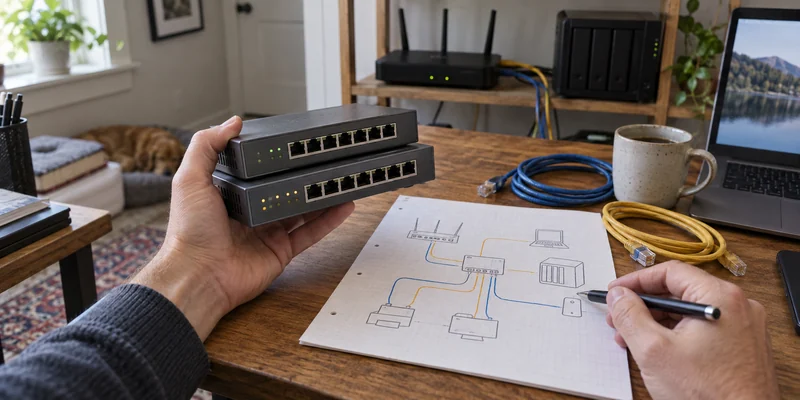
Start with the control you will actually configure
An unmanaged switch is the direct answer when the job is simply to connect more wired devices. A managed or smart-managed switch earns its extra setup only when you can name a control you intend to use, such as separating traffic with VLANs, monitoring a port or limiting traffic.
| Network job | Useful starting path | Check before buying |
|---|---|---|
| Add wired ports for a computer, printer, access point or NAS | Unmanaged | Ports left after the router uplink and required link speeds |
| Create VLANs for an intentional network design | Managed or smart-managed | Router, access point and endpoint support across the full path |
| Inspect port traffic or troubleshoot a wired connection | Managed or smart-managed | Available monitoring features and how configuration is backed up |
| No one will maintain network settings | Unmanaged | Whether the missing controls are truly unnecessary |
| Faster NAS transfers are the goal | Choose speed first, management second | Every endpoint, cable and uplink in the local path |
An eight-port example isolates the difference
NETGEAR's current GS108 and GS108E each provide eight 1 Gigabit Ethernet ports in a fanless design. The GS108 is an unmanaged, plug-and-play model. The GS108E is a Plus switch with controls that include VLANs, quality of service, IGMP snooping, rate limiting and traffic monitoring.
That pairing makes the tradeoff visible without changing port count or nominal link speed. The managed option adds configuration and observability; it does not turn a 1 Gigabit port into a 2.5 Gigabit one. If local transfer speed is the real bottleneck, use the Gigabit-versus-2.5GbE guide before deciding how much management you need.
Do not reduce the distinction to “unmanaged has no traffic handling.” The GS108 page lists IEEE 802.1p traffic prioritization. The practical difference is that an unmanaged buyer has no configuration interface for building and maintaining a custom policy, while the GS108E exposes defined controls.
VLANs are a whole-network decision
Cisco separates unmanaged, smart and fully managed categories by the amount of configuration, security, monitoring and control they expose. A VLAN-capable switch is only one component of a working segmented network. CISA's segmentation guidance pairs VLAN separation with router access controls, stateful inspection and firewall capabilities. The router or firewall must route and filter the intended traffic, access points must carry the right wireless networks, and management access needs a recovery plan.
Buying a managed switch does not automatically isolate devices. A default or mistaken configuration may leave them on the same network. If you cannot diagram the desired segments and the allowed connections between them, keep the design simple or get qualified help before treating VLAN support as a security result.
Count ports after the uplink
An eight-port switch usually uses one port to connect toward the router or another switch, leaving seven for endpoint connections. Count the computer, NAS, printer, access point, camera or other wired devices, then reserve sensible room for the next known addition.
Check link speeds separately. A mixed network negotiates each link according to the supported devices and cabling. A managed Gigabit switch cannot raise the speed of a Gigabit endpoint, and an unmanaged multi-gig switch can still be the more direct choice when speed—not policy—is the job.
Use as you go
Your working checklist
0 complete
Five questions before choosing management
Buy the simpler answer unless control has a job
Choose unmanaged for straightforward port expansion. Choose managed or smart-managed when a specific, supported control is worth configuring and maintaining. If wireless coverage is the actual problem, compare mesh Wi-Fi with an extender instead; a switch alone does not create wireless coverage.
The useful premium is not the word “managed.” It is a control you will use, across a network that supports it, with a recovery plan you can follow later.