
Faster local backups can have a smaller upgrade path
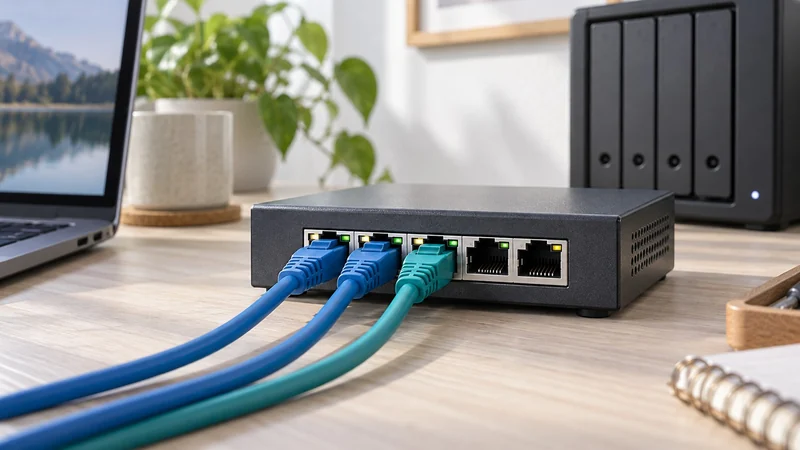
A 2.5GbE switch can be useful when both your computer and NAS support 2.5GbE and large file transfers are the slow job. If the devices remain Gigabit, an ordinary Gigabit switch may provide the extra ports you need without paying for unused link capacity.
You do not automatically need a new internet router. Devices connected to the same switch can exchange local traffic there. Their internet traffic still uses the router and internet connection.
Check the path, one link at a time
| Local path | What to expect from the connection |
|---|---|
| Gigabit computer → 2.5GbE switch → 2.5GbE NAS | The computer’s Gigabit link remains a limit |
| 2.5GbE computer → 2.5GbE switch → 2.5GbE NAS | A multi-gig local path is available |
| Same local setup, with a Gigabit router uplink | Local traffic on the switch can stay multi-gig; internet traffic uses the uplink |
This is a connection map, not a promise of file-copy speed. Storage, small-file overhead, software and other traffic still matter. Check your actual computer port or USB network adapter rather than assuming that USB-C means 2.5GbE.
A simple Gigabit expansion
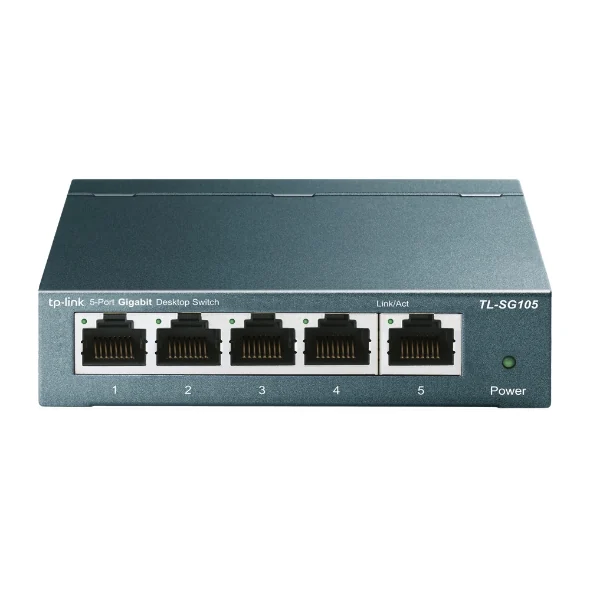
The TP-Link TL-SG105 provides five Gigabit Ethernet ports in an unmanaged, fanless unit. The US specifications make it a straightforward option for adding wired desk devices.
The catch: the connection to the router takes one of the five ports. That leaves four for a computer, printer, NAS or other devices. Plan the port count after the uplink, not before it.
When the multi-gig model fits
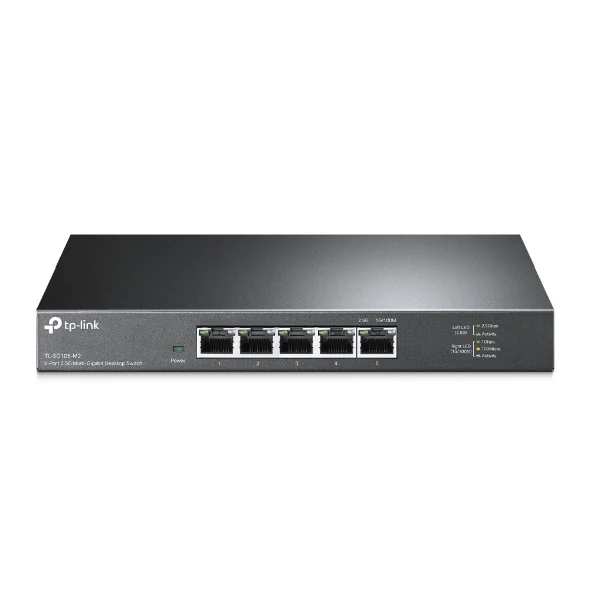
The TP-Link TL-SG105-M2 provides five ports supporting 100 Mbps, 1 Gbps and 2.5 Gbps. Its documented design is also unmanaged and fanless. It is worth considering when a compatible NAS and computer can use the faster local links.
The catch: a higher number on the switch cannot upgrade a slower computer port. Include any needed adapter and cables in the total. This is also a different product from managed or PoE switches used for other network jobs.
Keep usable cables and check the revision
TP-Link’s installation guide supports Cat5e or better for 2.5GBASE-T within its stated length limit. You do not need to replace every existing cable merely because the switch is faster; condition and the negotiated connection still need checking.
Hardware revisions matter for secondary specifications. TP-Link’s current product page and revision 3 data sheet list different power figures. That is why this comparison uses the common port and setup features instead of combining incompatible power claims.
Choose the upgrade around the work
If the problem is wireless coverage, use Wi-Fi 6 versus Wi-Fi 7 mesh or mesh versus extender. A wired switch does not replace a wireless access point.
For shared files, choose the NAS capacity you need and then connect it appropriately. Gigabit is a sensible port expansion for Gigabit devices. Multi-gig has a clearer benefit when the whole local path can use it.
Choose speed and management separately
Gigabit versus 2.5GbE answers how fast each supported link can negotiate. It does not decide whether you need configuration controls. Treat straightforward port expansion and VLAN, traffic-monitoring or policy work as a separate management decision.
Count ports and speeds for the local path, then name the control you will actually configure. An unmanaged multi-gig switch can fit a speed-only job, while a managed Gigabit switch can fit a control job without increasing endpoint link speed.
Give PoE its own power budget
If the switch will power an access point, camera or phone, check PoE support separately from port speed. Use the PoE-switch-versus-injector guide to match the powered device's standard, per-device requirement, shared switch budget and outlet plan.
An injector can preserve an otherwise suitable switch for one powered run. A PoE switch can centralize several runs. Neither route makes a Gigabit endpoint transfer at 2.5GbE, so keep power and data-rate decisions separate.
Choose the controls separately from the speed
Once the port speed fits, decide whether you need configuration features. Compare managed and unmanaged switches for straightforward port expansion, VLAN planning and traffic monitoring.