
One weak room or a wider network problem?
A laptop that works well near the router but struggles at the far end of the house points to a different problem from a connection that is poor everywhere. Check the same device near the router first. Adding wireless equipment does not increase the speed of the internet plan itself.
For one weak area, an extender may preserve a setup you already like. For several rooms, a coordinated mesh system can give you one way to place and manage multiple units. Neither choice removes the need for a usable connection between the router and the added equipment.
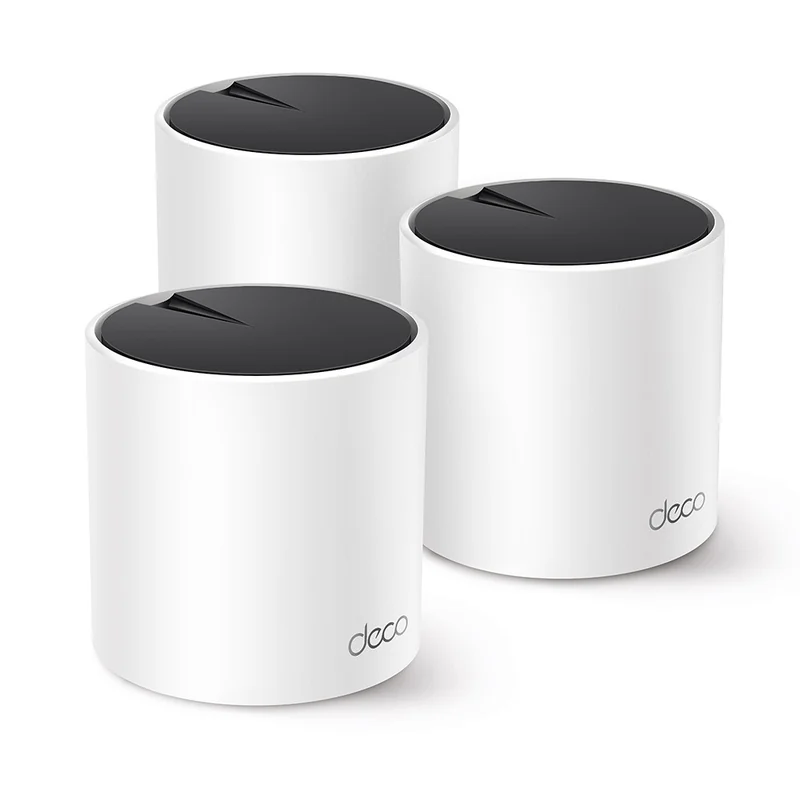
For a coordinated system: TP-Link Deco X55
The TP-Link Deco X55 three-pack includes three dual-band Wi-Fi 6 units, each with three Gigabit Ethernet ports. It supports Ethernet backhaul: a cable can carry traffic between units rather than using a wireless link for that part of the route.
The catch: this is a Deco system. TP-Link's mesh compatibility guide explains that Deco and EasyMesh do not combine into one unified mesh. Existing equipment with the same logo may still belong to a different system.
If you keep an ISP router, plan whether Deco will provide routing or work in access-point mode. The Ethernet backhaul guide shows how the required wiring changes between those modes. Follow the arrangement for the mode you actually select.
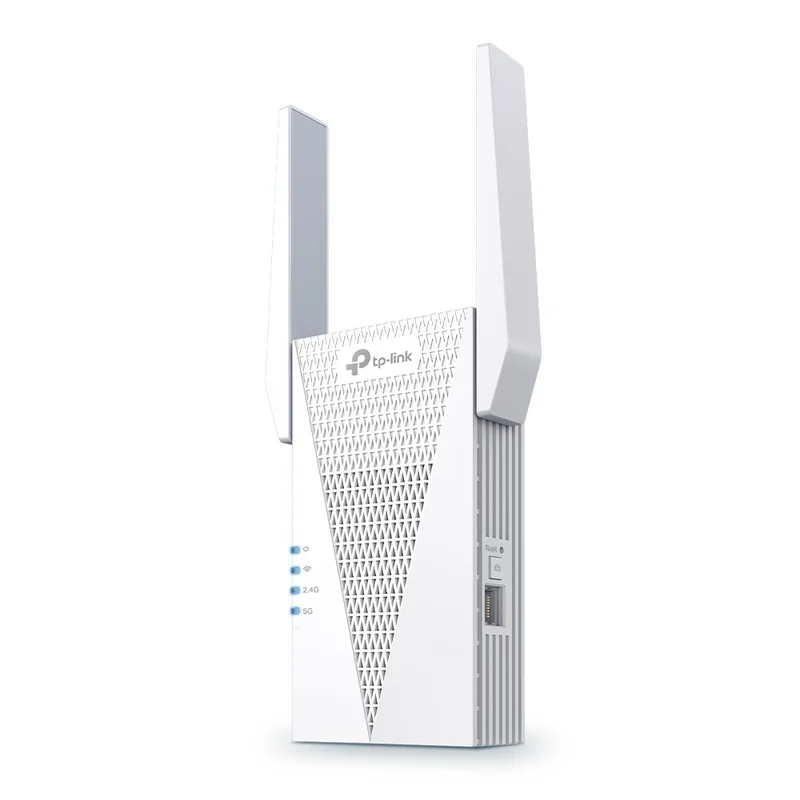
For a targeted extension: TP-Link RE715X
The TP-Link RE715X is a plug-in Wi-Fi 6 extender with a Gigabit port. Its US specifications also document access-point mode, where a wired network connection supplies the unit.
That second route is worth considering if a cable already reaches the room. You may need a useful access point rather than another wireless relay. A port on a device does not mean every mesh or wired-backhaul combination is supported.
The catch: EasyMesh operation needs compatible equipment and suitable firmware. Check the exact router, extender hardware version and current instructions before assuming seamless integration. In ordinary extender use, the device still needs a useful signal from the router.
Do not choose by AX3000 alone
Both examples carry the AX3000 label, but one purchase is a three-unit Deco system and the other is a single extender. The label describes a wireless class, not a measured internet speed at your desk.
Room layout, walls, placement, the client device and the connection between units affect the result. Put the added equipment where it can receive or carry a usable connection, rather than assuming the furthest dead spot is automatically the best location.
Keep the upgrade tied to your daily work
If the office already has Ethernet through a compatible docking station, try that connection before expanding wireless coverage solely for the desk. Choose a wider Wi-Fi upgrade for the rooms and devices that still need it.
A NAS adds shared storage to the network; it does not repair weak Wi-Fi. Choose the targeted extender or access-point route when it solves one clear gap. Choose a mesh system when several placements and coordinated management are the useful improvement.
Choose the generation after the coverage plan
Once you know where the units should go, compare Wi-Fi 6 and Wi-Fi 7 mesh by client support and wired ports. If the slow job is copying files to a NAS, check the Gigabit versus 2.5GbE switch path; a wireless replacement may not be the part you need.
When the back room has coax instead of Ethernet
A private connected coax route may carry a wired link to a mesh unit or access point. Compare MoCA and powerline before replacing a working router solely because Wi-Fi struggles through the walls. The adapter choice and the wireless endpoint are separate parts of the setup.
Already have Ethernet in the weak room? Compare a wired access point with a mesh system. Wired backhaul is available in both approaches, so power, management and the existing ecosystem become the deciding checks.