
Start with the powered devices, not the box
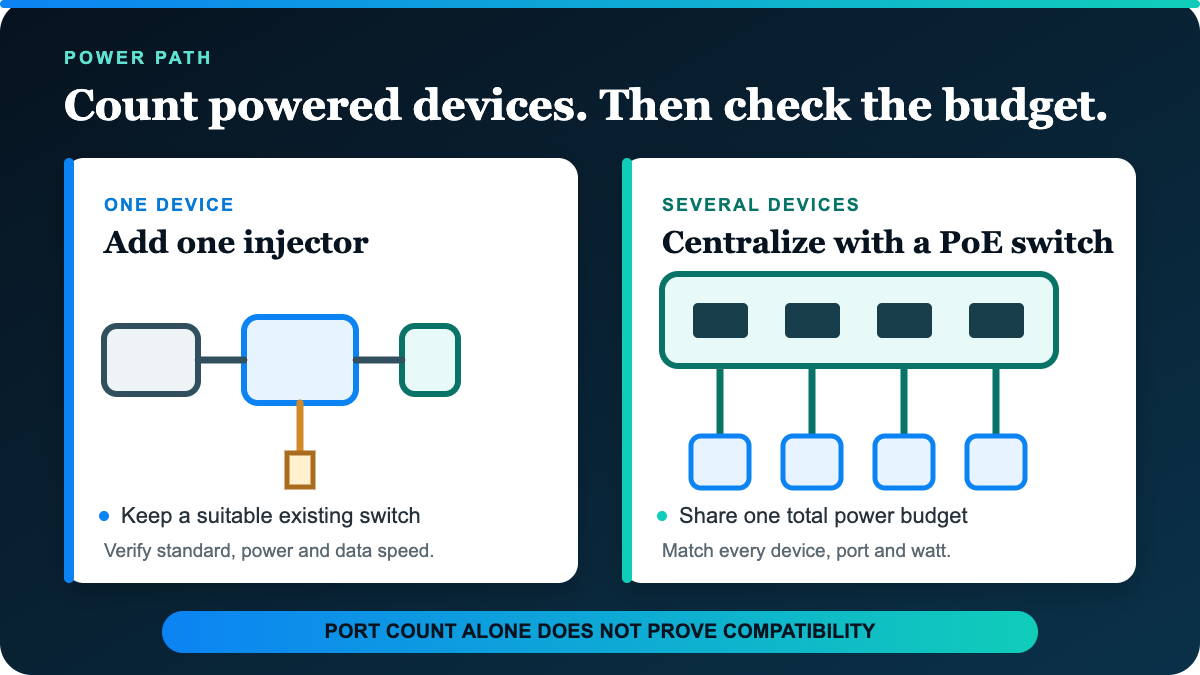
An injector adds power to one Ethernet run after a normal network port. A PoE switch combines network switching and powered outputs for several runs. Both can be tidy solutions when the exact devices, standards and power numbers align.
| Your setup | Useful starting path | Confirm first |
|---|---|---|
| One access point or camera; current switch has a suitable free port | One injector | Required PoE standard, watts, link speed and a nearby AC outlet |
| Several powered devices return to one location | PoE switch | Powered-port count, per-port maximum and total PoE budget |
| Existing switch is otherwise the right fit | Injector | Two short Ethernet connections and room for the injector and power cord |
| Network also needs different speed or management | Compare those jobs separately | Uplinks, VLANs, monitoring and every endpoint speed |
The common “one or two injectors, three or more devices means a switch” rule is only a starting point. One high-power or multi-gigabit device can outgrow a basic injector. Several low-power devices can still fit a small switch, but only when their combined draw stays inside its shared budget.
One-port example: TP-Link TL-POE160S
TP-Link's US TL-POE160S V1 has one Gigabit data-in port, one Gigabit power-and-data-out port and an AC input. It supports IEEE 802.3af and 802.3at powered devices and lists a maximum 30-watt output. The package includes the injector, power cord and an RJ45 cable.
That is a focused retrofit for one compatible device. The catch is repetition: a second powered run needs another suitable injector, outlet and set of connections. It also remains a Gigabit path; the PoE+ label does not make the data link multi-gigabit.
Four-port example: TP-Link TL-SG1005P V2
The current US V2 page for the TL-SG1005P lists five Gigabit Ethernet ports, four of them PoE+, with up to 30 watts per powered port and a 65-watt total PoE budget. It is an unmanaged, fanless switch and includes its external power adapter.
The total is the important catch. Four 30-watt labels do not create a 120-watt supply; the manufacturer lists 65 watts across the PoE ports. Add the maximum or documented requirement for each planned powered device, retain headroom, and check the switch's priority behavior before relying on every port at once.
Match power and data as two separate paths
Write down each powered device's exact PoE standard, maximum input, connector speed and installation environment. Then map the switch or injector, both Ethernet segments and the AC source. Passive-power accessories or an unfamiliar voltage label are not substitutes for verified IEEE compatibility.
If local file transfers are the slow job, use the Gigabit versus 2.5GbE switch guide before buying around PoE alone. A powered port can still be the slowest link. If the room lacks Ethernet entirely, compare MoCA with powerline for the connection route first.
Choose the smallest complete power plan
Use an injector for one verified retrofit when the existing switch and outlet plan still make sense. Use a PoE switch when central power and several verified ports simplify the complete network. Before ordering either, match standards, watts, total budget, speed, cable and environmental limits to the exact powered devices.