


Buy the upgrade your devices can use
Wi-Fi 7 is a useful upgrade when it opens a better connection for equipment you already use: a compatible laptop, a busy multi-device home, or a wired connection above Gigabit. If a working Wi-Fi 6 mesh already covers your rooms, a newer number alone is a weak reason to replace it.
The helpful first check is the slow job. Is a video call unreliable in one room, a file copy slow everywhere, or the internet plan limited at a wired port? Those problems can call for different purchases. The mesh versus extender guide covers the coverage decision before you choose a generation.
Where Wi-Fi 6 still makes sense
The Deco X55 three-pack offers coordinated coverage with Gigabit ports and Ethernet backhaul. It is worth considering for ordinary connected devices when layout and coverage are the main need.
If you have Ethernet between rooms, TP-Link’s backhaul guidance explains how Deco units can use it. A suitable wired link between nodes can be useful before replacing the whole system. Plan the cable route and router mode as part of the installation.
The catch: its wired ports remain Gigabit. If a faster internet plan or local storage connection is the reason for upgrading, include those ports in the decision.
When the BE63 earns the extra spend
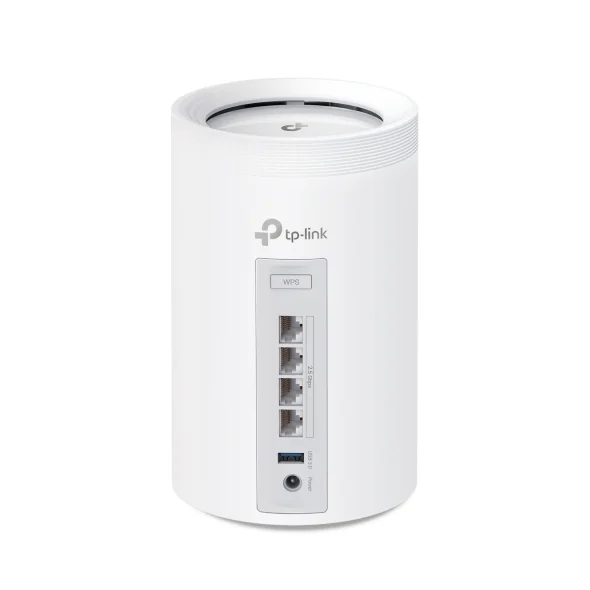
The Deco BE63 two-pack adds a 6 GHz radio and four 2.5GbE ports per unit. Its US specifications also list MLO and 320 MHz operation. These features give compatible devices and a multi-gig wired setup more connection options.
The catch: the client has to support the relevant feature. An older phone does not acquire Wi-Fi 7 capabilities simply by joining this system. The advertised total wireless rate also combines radios; it is not one device’s promised download speed.
These linked bundles contain three X55 units and two BE63 units. Compare the places you can put them, not just the generation printed on the box.
A three-check upgrade plan
| Your situation | Useful next check | Buying direction |
|---|---|---|
| One room loses a usable signal | Node placement and an Ethernet route | Improve coverage before choosing a generation |
| Wired internet exceeds Gigabit | Modem, router and LAN port rates | Consider an end-to-end multi-gig path |
| A compatible laptop needs more wireless capacity | Client radio support and where you use it | Wi-Fi 7 has a clearer role |
These are decision rules, not a speed forecast. Walls, interference, client hardware and placement still affect results.
Spend on the part that changes the job
For local backups, check the Gigabit versus 2.5GbE switch comparison before assuming a new mesh is required. A wired computer and NAS can have their own faster local path.
Choose the X55 route for a planned Gigabit home network. Choose the BE63 when its extra radio or wired ports have an identified use. Price the unit count and installation you need, and let that complete setup decide the purchase.
Improve the connection between rooms
If a wireless backhaul is the weak link, check whether connected private coax can carry that part of the route. MoCA versus powerline explains the wiring and service conditions. Confirm the exact mesh system supports the intended wired-backhaul topology before adding adapters.