
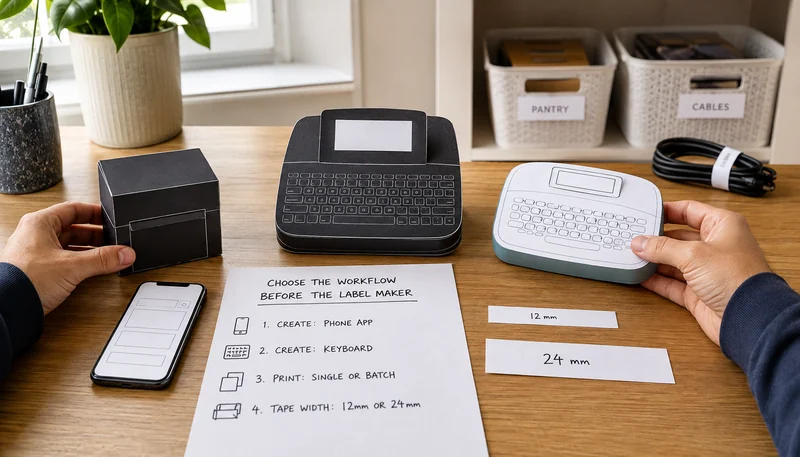
A label maker can be a tiny keyboard, an app-driven printer, or a connected desktop tool. Those workflows are not interchangeable. The best Brother label maker is the one that matches how the labels will be written, how wide they need to be, and how often the same layout must be printed.
The current research separates three exact starting points:
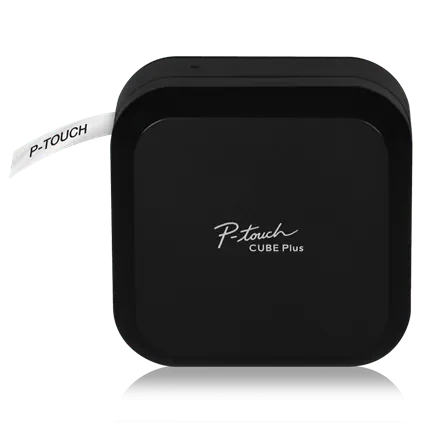
- Brother P-touch CUBE Plus PT-P710BT : phone-or-desktop option for designed labels up to 24 mm wide.
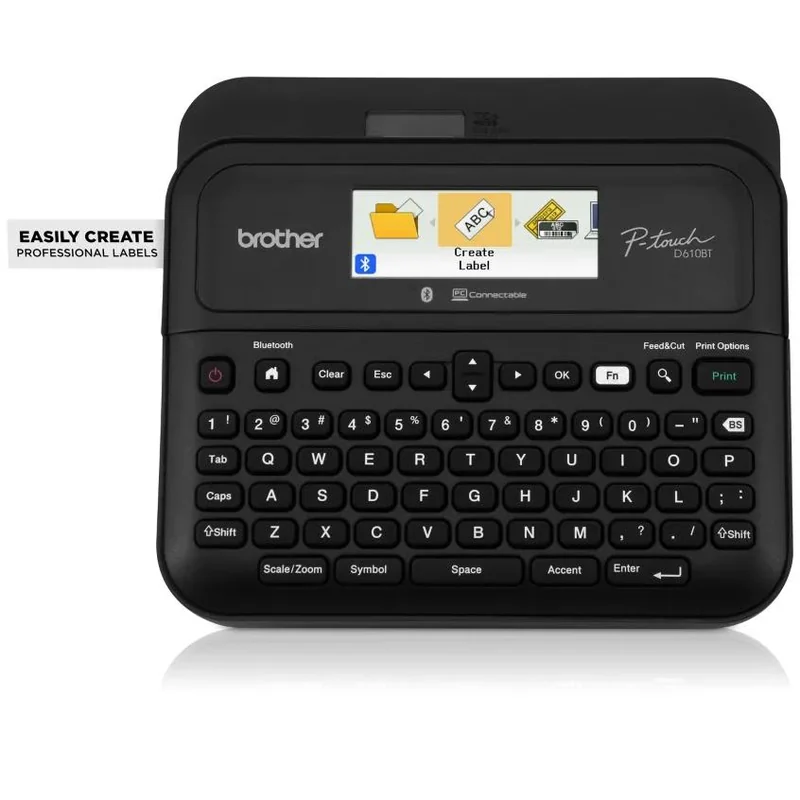
- Brother P-touch PT-D610BT : keyboard, screen, phone, and desktop hybrid for repeated or mixed workflows.
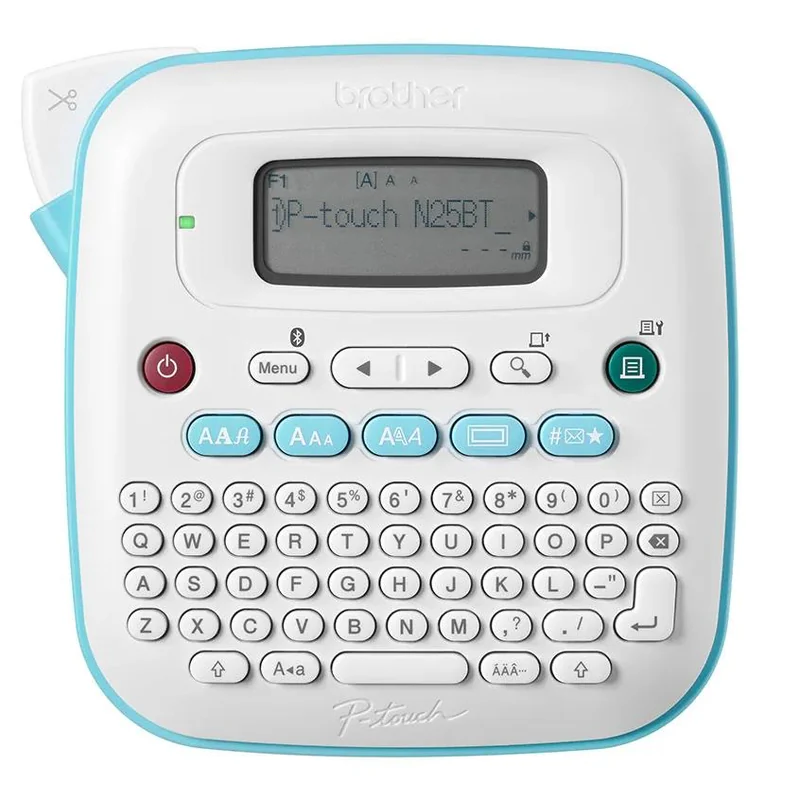
- Brother P-touch PT-N25BT : simpler 12 mm keyboard-and-phone option for everyday home labels.
Choose the input method before the printer
This is a workflow comparison, not a first-to-third ranking. A pantry refresh, a cable-labeling session, and a repeated office-inventory job place different demands on the same tool.
Why the PT-P710BT is the phone-or-desktop option
WIRED places the exact P-touch CUBE Plus PT-P710BT in its current upgrade option after testing label makers and exposing its tape checks. mybest also includes the exact model in its tested panel.
Brother identifies a compact printer with Bluetooth mobile apps, USB desktop support, TZe tape up to 24 mm, a built-in rechargeable battery, and an automatic cutter. That suits labels you want to design on a phone or computer. For quick one-line labels, decide whether you prefer an app or a built-in keyboard.
The dependency is the catch: this model has no built-in keyboard or display. If the phone, computer, app, operating system, or connection is the part of the workflow you dislike, the compact printer does not remove that friction.
Why the PT-D610BT is the mixed-workflow option
Brother identifies the PT-D610BT as a 24 mm TZe model with a built-in QWERTY keyboard, color display, Bluetooth mobile connection, USB desktop connection, and automatic cutter. mybest includes the exact model in its current tested ranking.
That combination makes it the most flexible workflow in this three-product panel: type directly for a quick label, use a phone for a styled layout, or use desktop software for a repeated job. Flexibility is not the same as value. The larger machine, software options, and batch features only matter when the job will use them.
Brother lists an AC adapter in the box and also lists six AA batteries for untethered power, with the batteries not included. Confirm the intended desk or portable setup before treating it as a grab-and-go tool.
Why the PT-N25BT is the everyday 12 mm option
WIRED selects the current PT-N25BT as its overall home-labeling lead. Brother identifies it as a compact QWERTY model with a 16-character preview display, Bluetooth access to the Design&Print 2 app, and exclusive compatibility with Btag 12 mm tape.
That makes it the simplest bridge between direct typing and optional phone design. It is not a smaller version of the TZe models. The exclusive Btag tape family and 12 mm ceiling are permanent format decisions, so a future need for wider 24 mm labels would require a different printer and supplies.
Brother lists six AAA batteries or an optional AC adapter as the power choices and says neither is included. The current exact-product identity should be checked again if the bundle or included power items change.
Run the paper-label test before buying
- Write the five labels you are most likely to make during the first month.
- Cut each label twice: once as a narrow 12 mm strip and once as a wider 24 mm strip.
- Tape the paper versions to the real bins, shelves, cables, folders, or equipment and read them from the normal viewing distance.
- Mark each label as `keyboard`, `phone design`, `desktop data`, or `repeat batch` based on how you would realistically create it.
- Count how many jobs need a wider strip, a graphic, a barcode, repeated numbering, or the same saved layout.
- Choose the printer only after the dominant input method and tape family are visible.
The paper test can reject the wrong width or workflow without spending money. It cannot prove print speed, tape adhesion, cutter life, software reliability, battery life, or durability.
Compare the supply system, not just the machine
The printer is the entry point; the tape family is the continuing system. Check the exact cartridge family, available widths, finishes, adhesive type, roll length, local availability, and likely replacement pattern before choosing.
Do not assume that every Brother P-touch tape fits every P-touch machine. The PT-P710BT and PT-D610BT use TZe tapes up to 24 mm. The PT-N25BT uses the separate Btag family at 12 mm. A shared brand name does not make those cartridges interchangeable.
Choose around your labels and typing preference
Choose the PT-P710BT when phone or desktop design and 24 mm TZe tape matter more than direct typing. Choose the PT-D610BT when a physical keyboard, connected design, and repeat jobs all belong in the same workflow. Choose the PT-N25BT when basic 12 mm labels and a simple keyboard-plus-phone option solve the actual job. If the paper test cannot justify the wider tape or connected features, do not pay for them.
For the organization step that comes before printing, use the under-sink layout guide or the desk cable-route guide to decide what deserves a permanent label.