
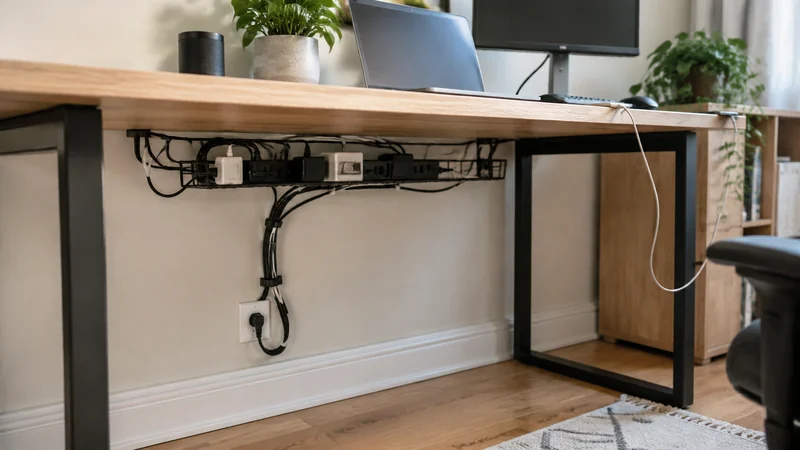
A cable-management kit is not one product. It is a route: power enters at the wall, reaches the strip, branches through adapters, travels to devices, and leaves a few cables accessible for daily use. The best format is the one that fits that route without colliding with the desk.
The current research separates three starting points:
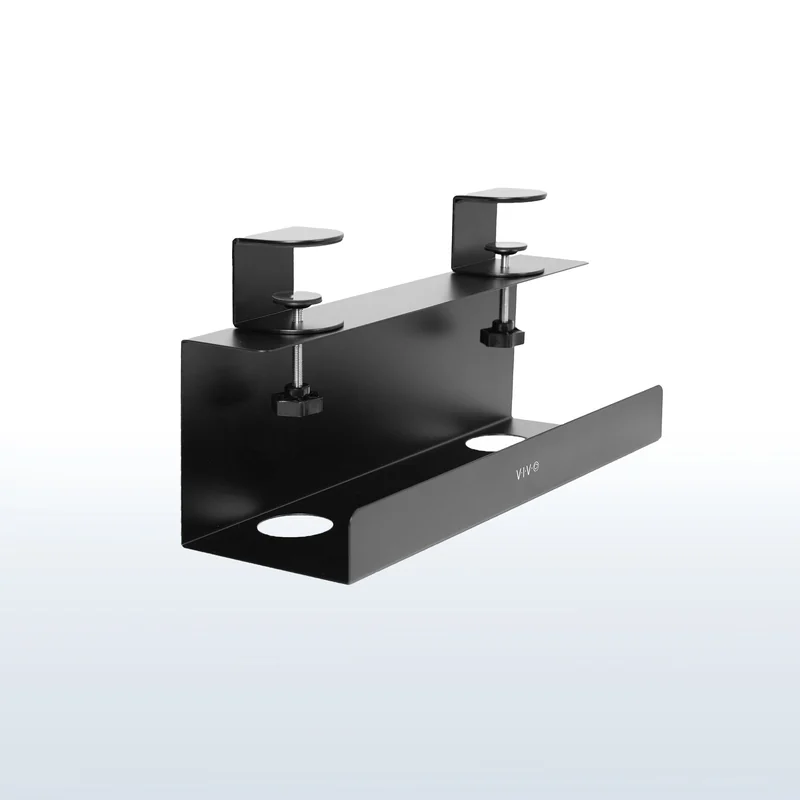
- VIVO Clamp-on Cable Management Tray DESK-CM6L-B : no-drill option for a compatible exposed desk edge.
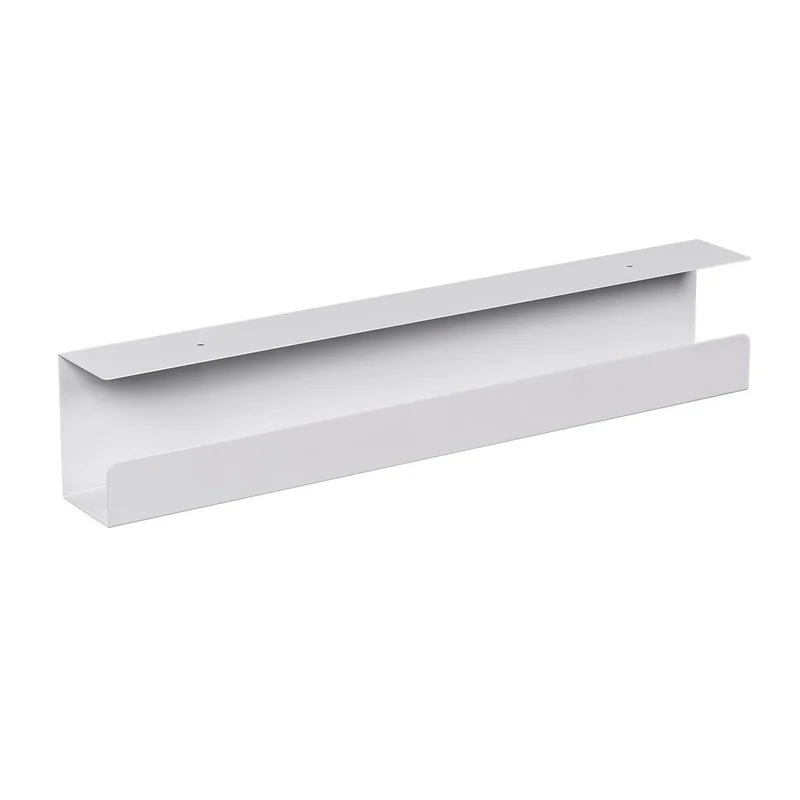
- Monoprice Workstream Under-Desk Cable Tray : low-profile screw-mounted option for a compatible wood or wood-composite desktop.
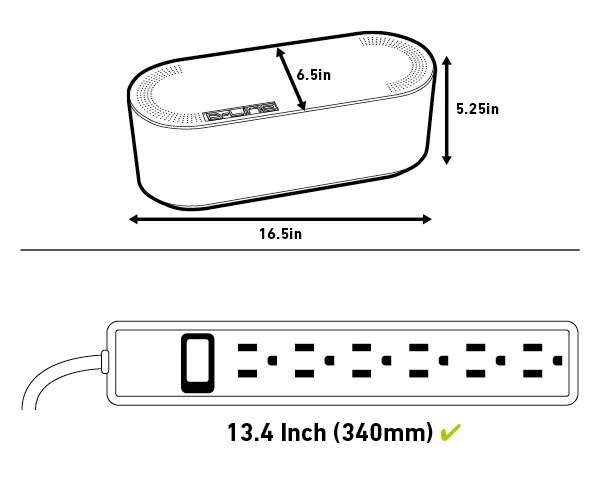
- D-Line Large Cable Management Box, Black : floor fallback when glass, metal, framing, controls, or mounting restrictions block an underside tray.
Choose the anchor before the accessories
Start with the largest fixed object: usually the power strip plus every plug and power brick that must remain connected. Small cable clips and sleeves can improve the route later, but they cannot rescue a tray that is too narrow or a box that cannot close without bending cords.
Why the VIVO is the no-drill option
VIVO identifies the current DESK-CM6L-B as a steel clamp-on tray. Its published compatibility range is 0.2 to 2 inches of desktop thickness, and its listed dimensions are 17 by 6 by 5.8 inches, or 8.8 inches including the clamps.
Those measurements make the constraint visible. The tray only works when a compatible edge is exposed and the clamp bodies do not collide with an apron, crossbar, control box, monitor arm, wall, or leg. The published dimensions do not establish fit for a specific desk or prove that the tray will remain quiet and stable with a particular power setup.
Why the Monoprice is the screw-mounted option
Monoprice identifies product 33815, UPC 889028089972, as a white powder-coated steel tray for wood or wood-composite tabletops. The manufacturer says it attaches under the desktop and is designed to move with height-adjustable desks.
BTOD separately reports using the exact Monoprice Amazon record and calls out the narrow tray and the need to measure the power strip before buying. That makes Monoprice the better-supported exact tray in this panel, not a universal winner. A wide surge protector, side-facing plugs, or bulky adapters can consume the usable width quickly.
Why the D-Line box is a fallback, not a consolation prize
The floor is sometimes the only honest mounting location. D-Line lists its large U.S. cable box at 16.5 by 6.5 by 5.25 inches with three rear cable entry and exit points. Consumer Reports specifically names the D-Line cable box as a way to contain a surge protector in a home office.
That evidence supports the format and exact identity. It does not make the box suitable for every strip, brick, or thermal condition. A floor box also leaves a separate route from the desktop to the floor. On a standing desk, that vertical section must be tested at the lowest and highest positions.
Run the before-you-buy layout test
- Unplug safely and place the actual power strip, plugs, and bricks on a sheet of paper.
- Trace the full loaded footprint, including side-facing plugs and the bend radius of each cord.
- Cut out the outline and position it under the desk or on the floor where the anchor would live.
- Mark desk-frame rails, monitor clamps, controls, knees, drawers, wall clearance, and outlet direction.
- For a sit-stand desk, move from the lowest to highest position while another person watches every cable and collision point when practical.
- Keep the cables that change often outside the hidden bulk route so a phone, camera, or laptop lead remains reachable.
This test can reject an undersized or obstructed format before purchase. It cannot prove mounting strength, adhesive life, rattle, heat behavior, cord wear, long-term durability, or compatibility with equipment instructions.
Keep power safety separate from tidiness
A clean-looking box or tray does not change the electrical limits of the power strip, outlet, charger, or device. Do not daisy-chain power strips or extension cords. Do not force cords into sharp bends, cover ventilation, or place a charging lithium-ion battery inside a closed cable box. Follow the instructions for the power equipment and keep damaged cords out of service.
Consumer Reports recommends checking box size, cord openings, access, and airflow. Those are useful screening criteria, but they do not replace the instructions or ratings for the actual electrical products inside.
Decide on backup power before choosing a tray
If power interruptions are part of the problem, compare a UPS and portable power station for your home office before sizing the cable-management accessories. Choose backup equipment for the essential load and required time, then follow its own placement, ventilation and connection instructions. A cable box or tray is not automatically a suitable enclosure for a battery unit.
Choose the mount your desk supports
Choose VIVO when a compatible edge makes no-drill clamping the least destructive route. Choose Monoprice when a measured wood or wood-composite underside gives a screw-mounted tray a clear option. Choose the D-Line Large box when underside mounting is blocked and a floor anchor is acceptable. If the paper outline or movement test fails, change the route before buying another bundle of clips.
Use the companion guide to organize cables under a desk before choosing a tray. For a creator setup, stabilize the phone before buying another tripod so the cable route follows the equipment that stays.