

Choose what you need to keep working
A desktop that needs time to save a project, a laptop that already has a battery, and a router that must stay powered are three different backup jobs. Start by naming the equipment and the time you need, then compare batteries for that job.
For a short interruption, a desktop UPS can provide a practical path to saving work and shutting down. For work that must continue longer, compare usable runtime at your load and how the battery recharges while powering equipment. A portable power station also earns its place when you will use it away from the desk.
Keep file backups separate from backup power
Backup power gives supported equipment time to continue or shut down; it does not create another copy of your files. Choose a portable SSD or external HDD for your backup routine separately, and check that you can restore representative files. Protecting the power supply and keeping recoverable copies address different causes of loss.
Three numbers answer three different questions
| Check | What it tells you | Also check |
|---|---|---|
| Output watts and VA, where listed | Whether the unit can support the connected load | How long that load will run |
| Battery energy in Wh | Stored energy on the maker's stated basis | Guaranteed energy delivered through an AC outlet |
| Transfer time in milliseconds | The stated delay when switching to battery | Compatibility with every computer or power supply |
Schneider Electric's UPS buying guide separates load sizing from runtime selection. For your shortlist, use a runtime curve or test at the wattage you actually need. A nameplate maximum is useful for a load limit; it is not a measurement of everyday consumption.
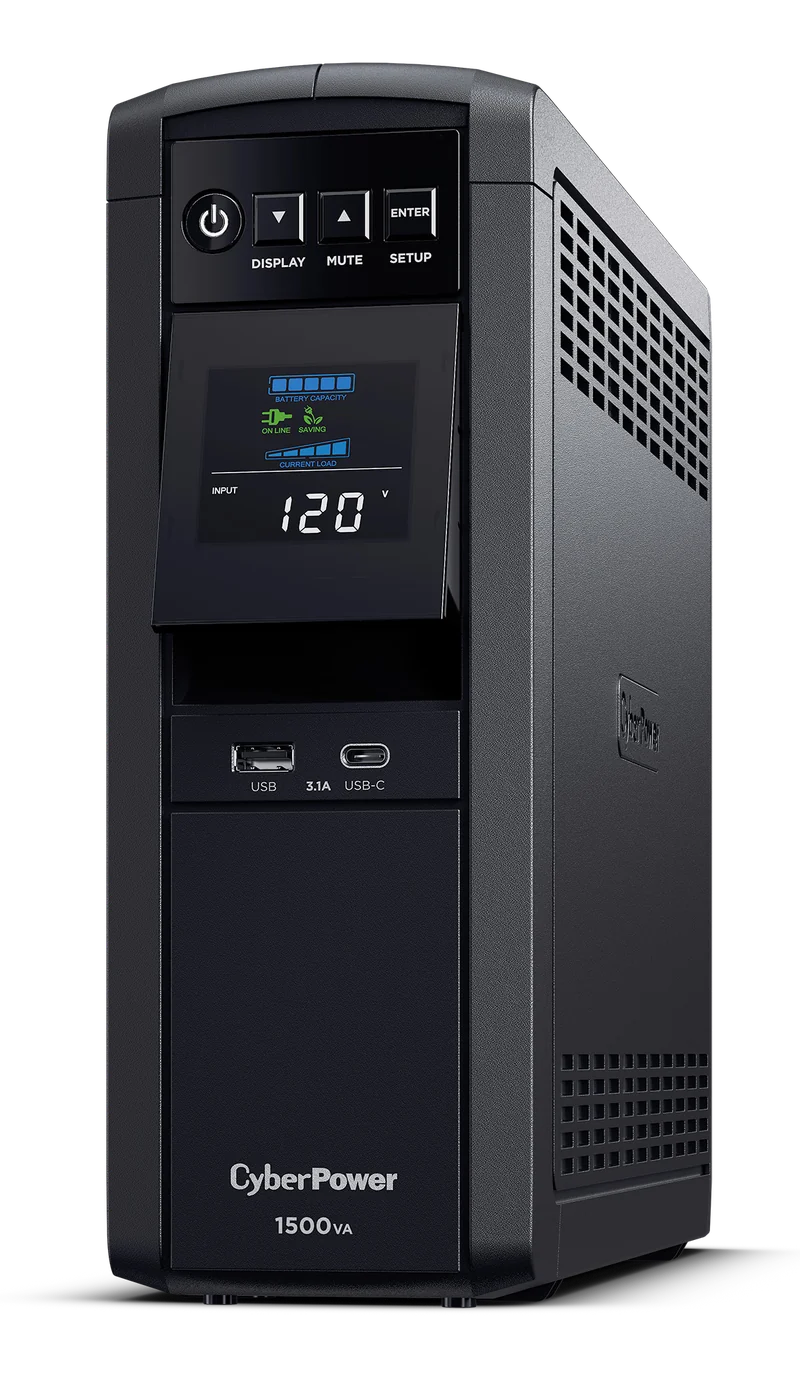
CyberPower CP1500PFCLCD: a desktop shutdown setup
The current US 1500 VA / 1000 W, 12-outlet CP1500PFCLCD is a research option for a desktop and selected office equipment. Its manufacturer sheet lists sine-wave battery output, voltage regulation and USB communication. Only six outlets provide battery backup; the other six provide surge protection without battery power.
That split makes placement important: put equipment needed during an outage on the battery-backed group, within the unit's load limits. Match the power-management software to your operating system and configure the shutdown behavior before relying on it.
The model name has appeared with older configurations. Match the current 1000 W, 12-outlet unit, and use the serial-specific battery guidance if replacement becomes necessary. The sheet gives 10 minutes at half load and 2.5 minutes at full load; those manufacturer figures do not predict your desk's runtime without knowing its load.
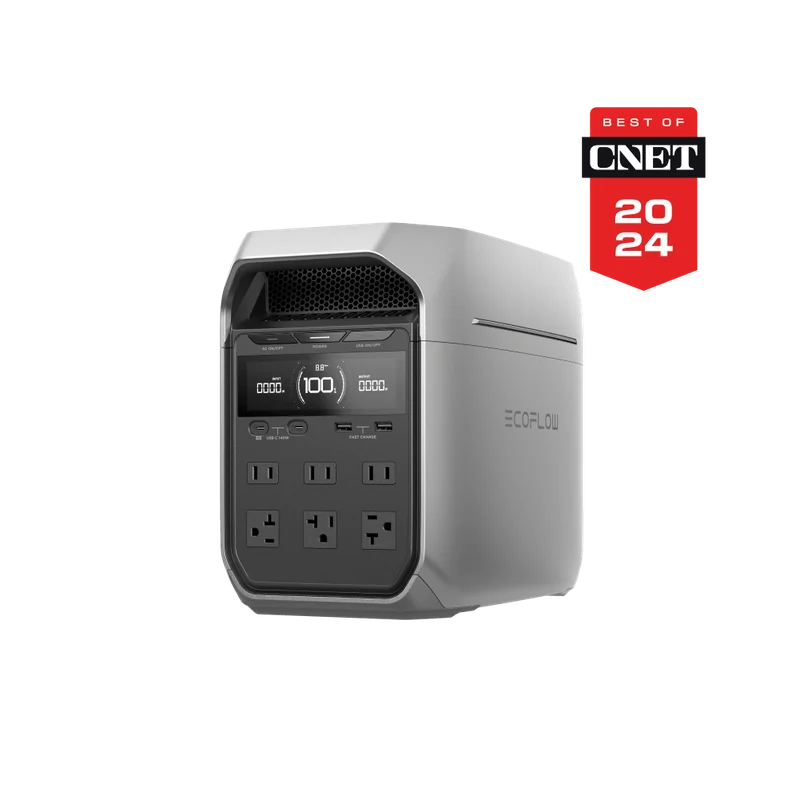
EcoFlow DELTA 3 Plus: more ways to use stored power
The DELTA 3 Plus combines a nominal 1,024 Wh battery with 1,800 W rated AC output on the US 120 V version. That makes it a relevant option when you want portable stored energy as well as desk backup. Compare runtime at your equipment's wattage before paying for that extra capacity.
Its current manual describes standby UPS operation with a 10 ms transfer. This is a switching delay, not uninterrupted zero-transfer output. The manual also documents Power Manager communication through USB-C and a USB data cable; check the supported operating-system version and your required shutdown behavior.
The useful ownership check is charging while working. EcoFlow says grid input must exceed the connected load so there is surplus power to maintain the battery. Select the US standalone DELTA 3 Plus, rather than borrowing specifications from DELTA 3, Classic, another regional version or a solar bundle.
Keep the essential load small
A laptop's existing battery may already cover the computer during a brief interruption. Your remaining need could be the modem or optical-network terminal and router, plus any essential network equipment. Powering only that group can reduce the backup capacity you need. It cannot keep an internet provider's unpowered infrastructure online.
Use as you go
Your working checklist
0 complete
Your office backup brief
Save open work before checking a new setup, and follow the manufacturer's test procedure. Place the unit on a stable, dry, ventilated surface using the prescribed wall connection. Do not improvise connections between backup units or connect a portable battery to household wiring.
Buy for the outage you want to handle
Choose a UPS for a supported desktop backup and shutdown setup. Choose a suitable power station when its runtime at your load and use away from the desk justify the extra battery. Start with the essential equipment list, then use the desk cable guide to keep normal accessory leads accessible around the finished setup.
The best purchase here is one with a clear job: save the work, keep the essential equipment powered for the required time, and know what happens when that time runs out.
Protect the file copy as well as the power supply
If you add shared NAS storage, keep two plans: how equipment handles a power interruption, and where another recoverable copy of the files lives. A UPS addresses the first job. It does not create the second copy or protect it from every problem affecting the NAS. Check exact equipment support before relying on an automatic shutdown connection.
If connected equipment can stop during an outage, first check whether a surge protector is enough. A UPS earns its place when you need shutdown time or brief continuity; it also adds a battery to maintain.
Plan for longer outages
For essential loads beyond a short shutdown window, compare a power station with an inverter generator. Load, duration and safe outdoor placement determine which approach fits.
If uninterrupted desktop or network power is the priority, compare line-interactive and online UPS systems for voltage regulation, transfer behavior and runtime.