
Which of these products fits your desk?
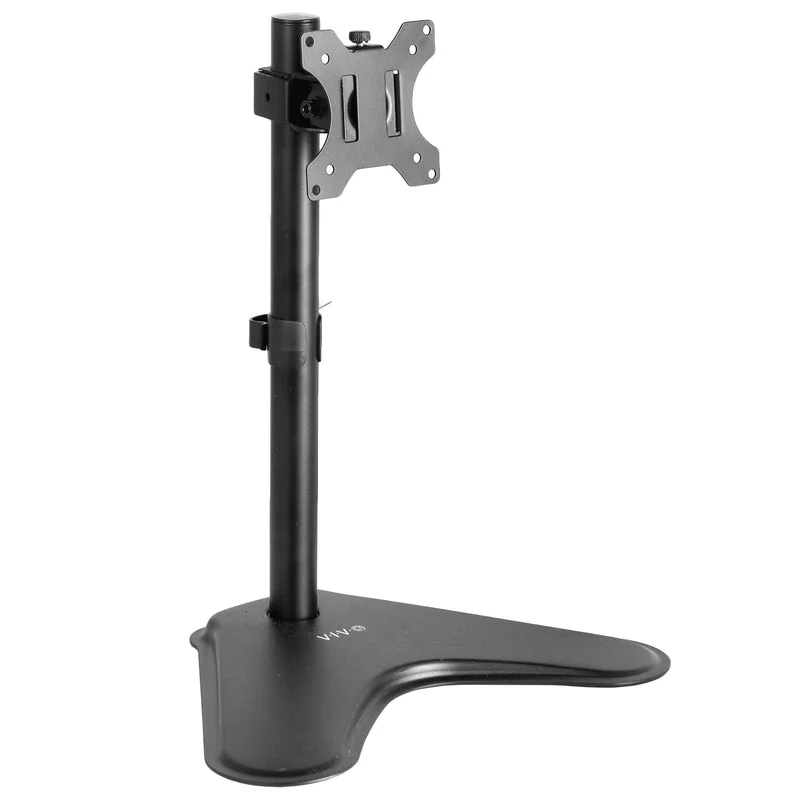
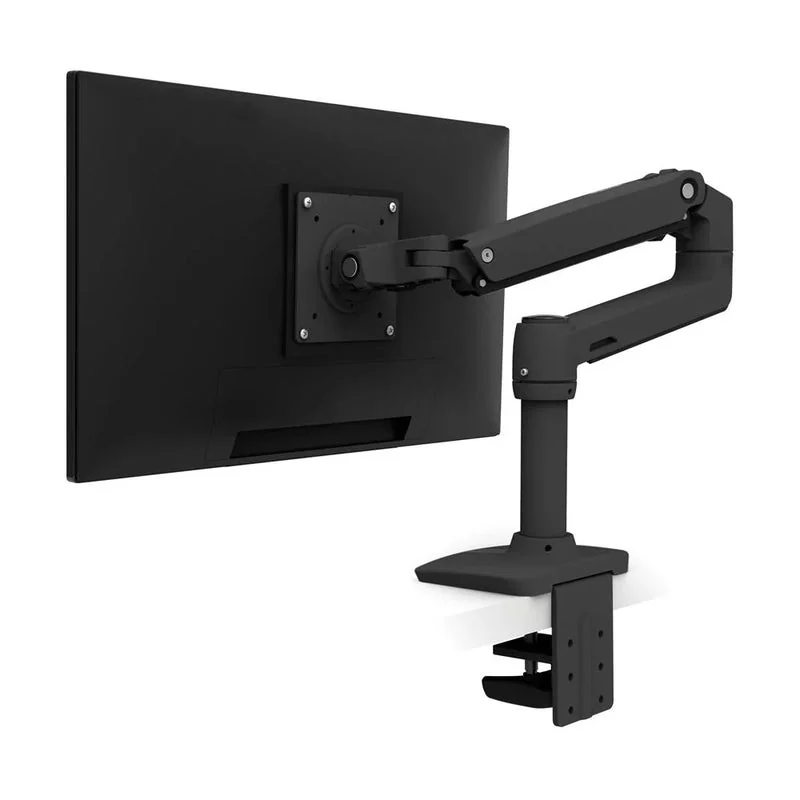
These are two concrete starting points for different jobs, not a ranking of every monitor mount. The VIVO STAND-V001H is a freestanding replacement stand; the Ergotron LX 45-241-224 is an articulated arm. A simple riser remains useful when you only need to lift a good existing base.
The VIVO manual shows screw-set height adjustment, so it suits a position you establish and keep. Follow its balance instructions when rotating or repositioning the screen. The product page and current manual list different tilt and swivel angles; this comparison does not promise a numeric angle.
For the LX, check the exact 45-241-224 package. Ergotron also sells low-profile-clamp variants with different attachment requirements. The manufacturer product sheet separates the versions.
Fix the viewing position before choosing the hardware
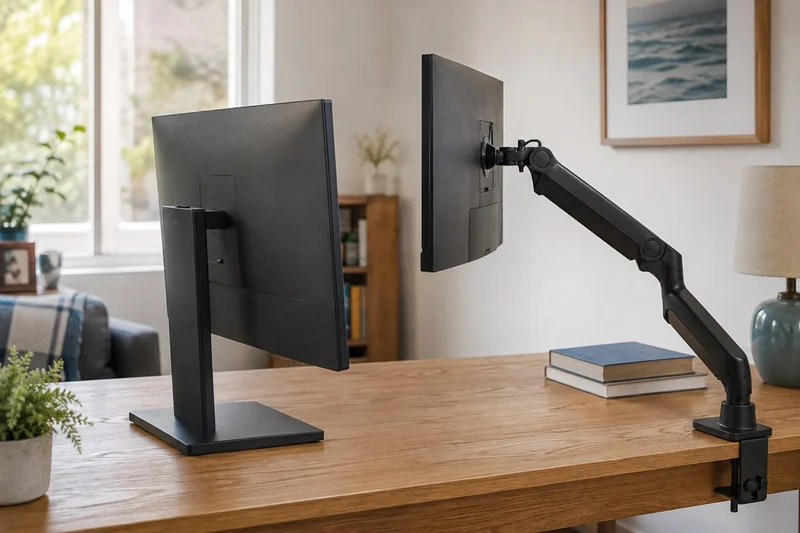
An arm is useful when the screen needs to move, the stock base consumes important desk depth, or the setup changes between people and tasks. A stand or riser is the simpler fit when the screen needs one stable lift and the desk edge, wall clearance, or monitor back cannot accept an arm.
Try your current setup first. Adjust the chair, screen scaling, stock stand, and desk position. If a sturdy book or temporary platform safely proves the needed height without blocking ventilation, you have learned whether a simple riser can solve the problem before purchasing a moving mount.
| Your constraint | Useful starting path | Check before buying |
|---|---|---|
| The screen is at the right depth but too low | Existing stand adjustment or stable riser | Final eye line, base stability, ventilation and usable storage below |
| The base consumes the working surface | Compatible monitor arm | Display mounting pattern and weight, desk structure, clamp or grommet clearance |
| You switch between seated, standing, camera, or shared positions | Arm with the required movement range | Reach at every position, tension range, collision points and cable slack |
| The desk has a closed back, glass top, shallow edge, or structural obstruction | Freestanding stand or manufacturer-approved alternative | Base footprint, tip resistance and exact display compatibility |
| The current setup already places the screen comfortably | Keep the stock stand | Upgrade when a regular task needs more room or movement |
Start with a comfortable viewing position
OSHA's workstation guidance recommends placing the monitor directly in front of the user, generally 20 to 40 inches from the eyes, with the top line at or slightly below eye level. Use those ranges as a starting point, then adjust for readable text and a comfortable head position.
Both an arm and a stand can support a useful position. The difference is how easily they reach it and whether they preserve the working surface. If the stock stand already adjusts height, tilt, swivel, and pivot across the positions you use, an additional mount may add little.
Four checks decide whether an arm fits
- The display: confirm the exact mounting pattern, mounting hardware, and supported weight without the removable stand.
- The mount: confirm that its pattern, weight range, reach, and tension adjustment cover that exact display.
- The desk: check material, thickness, edge depth, frame, apron, cable tray, drawer, wall gap, and permission to clamp or drill.
- The route: test power and video cable length through the arm's nearest and farthest positions without tension or pinching.
VESA's Flat Display Mounting Interface provides a standardized mounting interface, but a VESA-compatible label is only one part of the match. Hole pattern, screw requirements, display weight, mount capacity, and desk attachment still need exact verification.
Ergotron's attachment guide shows why “clamp mount” is not one universal fit. Different clamp and grommet arrangements require different clearances above, below, and behind a desk. Follow the exact mount and furniture instructions instead of transferring a dimension from a different model.
What a stand does better
A freestanding solution avoids loading the desk edge and usually makes removal or repositioning simpler. A riser can add storage below the screen, while a replacement VESA stand may add height or rotation without an articulating arm.
The catch is footprint. Measure the base at its widest and deepest points, then place a paper outline with the keyboard, mouse, dock, notebook, speakers, and cable bends. A riser that creates a shelf but pushes the screen too close is not reclaiming useful space.
What an arm does better
An arm can move the base load to a small attachment point and provide more depth, side-to-side, height, tilt, or rotation range. That makes the premium easier to justify when the screen has multiple repeatable positions rather than one fixed home.
Price the complete installation: the arm, any manufacturer-required reinforcement or mounting hardware, and longer cables if needed. Include the room the screen needs behind and beside the desk when it moves.
Use as you go
Your working checklist
0 complete
Five-minute paper fit test
If the display itself is still undecided, start with the portable-versus-desktop monitor guide. If the mount and power hardware are competing for the same desk edge, map the under-desk cable route before ordering either system.
Plan the dock and arm together
Route each monitor cable through the full arm movement before fixing the dock in place. A dock’s short laptop lead and a display cable solve different parts of the route; leave both accessible without a connector carrying tension. If the screens need to share one laptop connection, use the dock setup checklist to identify the correct outputs, cables and power source before fastening the cable clips.
Choose your mounting route
Choose a riser or stand for one stable lift. Choose an arm for repeated movement or more usable working depth, once the display, desk and cables fit. Keep the existing base when it already places the screen well. Aim for a comfortable desk with clear access to the equipment you use each day.
For a clamp-free setup, review the VIVO stand. For repeated position changes, review the Ergotron LX. Check the display weight and desk attachment before following either retailer link.
Move the screen or move the desk?
An arm changes screen position; it does not raise your keyboard or working surface. If sitting and standing are the goal, compare a standing desk with a desk converter first. Check the seated keyboard position, then choose a compatible screen mount for that setup.
Choose the screen layout before the mount
Compare one ultrawide screen with two monitors before choosing support hardware. The screen count, dimensions and working position help you plan the mount and desk clearance.